AnimateImage for e-commerce
Make your product photos move
Upload a product photo, describe the motion, and get a short video for your product page, your ads and your social posts. No studio and no editing.
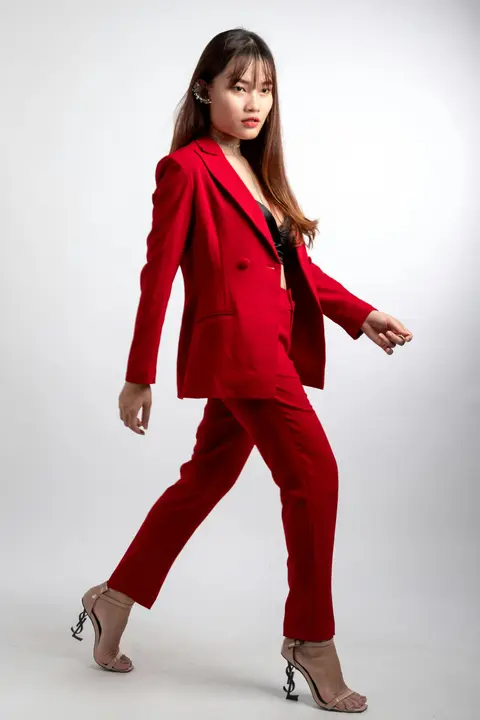



What you can make
- 01
Product page videos
Replace a still hero image with a few seconds of motion: a slow push-in, drifting steam, light glinting across a surface.
- 02
Ads and social posts
Turn a vertical photo into a 9:16 clip for Reels and Stories, or a square one into a clip for feeds. The video keeps the shape of your photo.
- 03
MP4s you can use anywhere
Every video downloads as an MP4, up to 4K and with sound, that you can upload to your store, a marketplace or an ad platform.
Try a description like this
You tell it how the photo should move. Plain sentences work best.
In the shape of your image
The video keeps the shape of the image you upload. Clips are 5, 10 or 15 seconds, with sound, downloaded as an MP4 up to 4K.
Vertical 9:16
A 9:16 photo gives a video for Reels, TikTok, Shorts, Stories
Square 1:1
A 1:1 photo gives a video for feed posts and product grids
Landscape 16:9
A 16:9 photo gives a video for websites, ads and slides
How it works for e-commerce
No editing software, no filming, no learning curve.
- 01
Choose a photo
Upload a JPG, PNG or WebP image. Any subject works: products, portraits, places, pets.
- 02
Describe the motion
Say what should move, like "she turns and smiles" or "the camera slowly zooms in".
- 03
Get your video
In less than 10 seconds with Fast, or about a minute at higher quality, your video is ready to preview, download as MP4, and post anywhere.
 Shopify app
Add videos to your Shopify products, without leaving Shopify
Pick a product and an image, describe the motion, and save the finished video straight to the product listing. No downloading, uploading or editing.
Questions, answered
What product photos work best?
Sharp, well-lit photos where the product is the clear subject. Simple backgrounds give the cleanest results. The video is generated from your photo and your description, so results vary: it is worth trying a couple of descriptions for the same image.
How do I use the videos in my store?
Download the MP4 and upload it wherever your store accepts video. If you sell on Shopify, the AnimateImage app saves the finished video straight to the product.
Can I make videos for Reels and Stories?
Yes. The video keeps the shape of your photo: a vertical 9:16 photo gives a vertical video for Reels, Shorts and Stories, a square one suits feeds, and a landscape 16:9 one suits websites and ads.
How long does it take to convert an image to video?
Fast videos are generated in less than 10 seconds. Higher quality videos usually take about a minute, and can take up to 3 minutes, depending on the complexity of the image and the selected animation style. Our advanced AI works quickly to deliver high-quality results.
Do I own the videos I create?
Yes, you retain full ownership of all videos created using our platform. You can use them for personal or commercial purposes according to your subscription plan. We do not claim any rights to your original images or the videos generated from them.
Ready to make your products move?
Create your first video in a few minutes.